REV 1.29 · MIT · $0 Open-source CAD for Claude Code, Codex & VS Code SHEET 1 / 7

CAD your AI agent can actually drive.

ShapeItUp gives Claude Code and Codex a real CAD kernel. The agent writes the part in TypeScript, looks at its own renders from four angles, reads the errors and fixes them. You watch in a browser viewport, and edit like you would in Fusion 360. Every click becomes code.

$ claude mcp add shapeitup -- npx -y @shapeitup/mcp-server
29
MCP tools the agent can call
4
angles in every render it checks
13
viewport edits that write code
$0
MIT licensed. No account. No cloud.
01 Two ways in

Chat with it.
Or code it yourself.

Both work on the same files, with the same viewer. You can switch between them in the middle of a design.

Agent mode Claude Code · Codex · Cursor · Claude Desktop

Describe the part. Your agent builds it.

Ask for a part in plain language. The agent writes the .shape.ts, opens the 3D viewer in its browser pane, and keeps iterating until the renders match what you asked for. You can step in at any point: type in the chat, change the code, or grab a face in the viewport.

  • Opens a live 3D viewer with open_viewer. No editor needed
  • Ships with a skill that teaches the agent the API
  • Tune parameters without rewriting the file
$claude mcp add shapeitup -- npx -y @shapeitup/mcp-server
Editor mode VS Code extension

Write it yourself, with the model next to your code.

If you'd rather type the code yourself, install the extension. When you save, the 3D view beside your code updates. It has a slider for every parameter, section planes, measuring, a parts browser and STEP/STL/3MF export. You get TypeScript autocomplete for the whole CAD API.

  • Updates the render when you save, with sliders for every parameter
  • Viewport edits go into your file as ordinary undoable changes (Cmd-Z works)
  • The agent's MCP tools can control the same viewer
⌘Pext install shapeitup.shapeitup-vscode
Open in the Marketplace ↗
You, in chat
bracket.shape.tsplain TypeScript · in git
You, in the viewport
02 Built for agents

It sees what it builds.

Language models are bad at picturing 3D, so ShapeItUp doesn't ask them to. After every change the agent gets pictures, measurements and plain-English errors back, and uses them to decide what to fix next.

  1. 01

    Write

    The agent writes TypeScript with create_shape and modify_shape. A bundled skill teaches it the Replicad API and the standard library, so it doesn't have to guess.

  2. 02

    Look

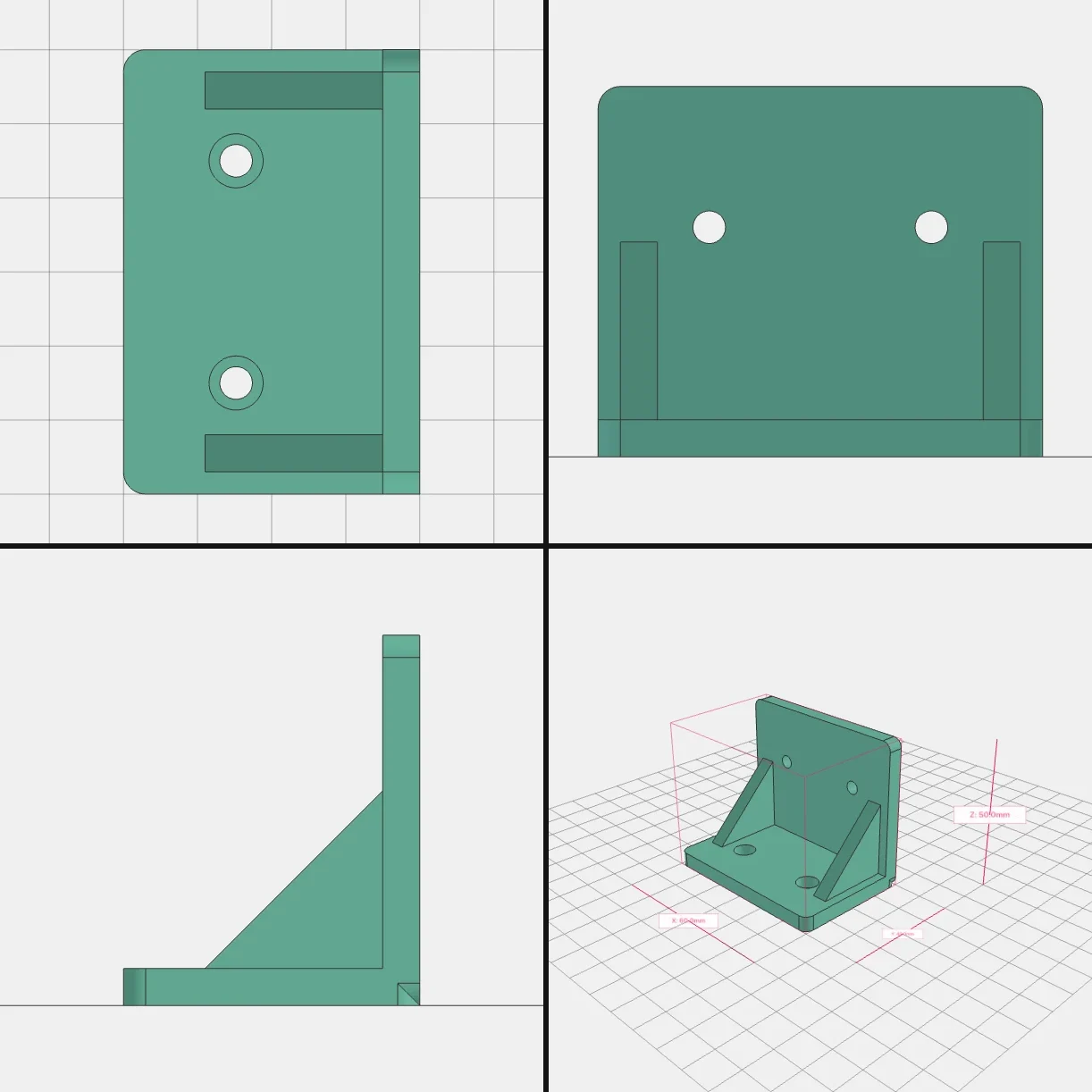
    render_preview returns one image with four views (top, front, right and iso), plus the bounding box, volume and mass. The agent checks the part from every side, not just the flattering one.

  3. 03

    Check

    verify_shape, check_collisions, validate_joints and sweep_check test that parts fit, joints line up, moving parts don't collide, and the model is printable.

  4. 04

    Fix

    Errors point to the line in the agent's own file and come with a suggested fix. So the next attempt starts from what actually went wrong.

render_preview → bracket.shape.ts
The bracket rendered from top, front, right and isometric views TOPFRONTRIGHTISO
bbox 60.0 × 40.0 × 50.0 mm4 views · 1 PNG
what the agent reads back
✕extrudeFace: the selector matched 3 faces, but it must match exactly one. Returning shape unchanged.
!sketchOnPlane('YZ').extrude(5): shape bounding box will be X ∈ [0, 5]. Fix (preferred): placeOn(drawing, 'YZ', { into: '-X', distance: 5 })
!fuse #1: fuse produced no new material. The added solid appears fully contained in the target. Check its position, or return them as separate parts.
✓bracket.shape.ts → 1 part · 60.0 × 40.0 × 50.0 mm
These are real messages, copied from the playground.
The toolbox29 MCP tools
Author

create_shape · modify_shape · read_shape · open_shape · list_shapes · delete_shape · setup_shape_project · validate_syntax · preview_shape · get_api_reference

See

render_preview · get_preview · open_viewer · close_viewer · set_render_mode · toggle_dimensions

Check

verify_shape · check_collisions · check_stack · sweep_check · describe_geometry · validate_joints · preview_finder · get_render_status

Tune & ship

tune_params · clear_params · run_simulation · export_shape · list_installed_apps

03 Direct manipulation

Fusion-style editing.
The result is plain text.

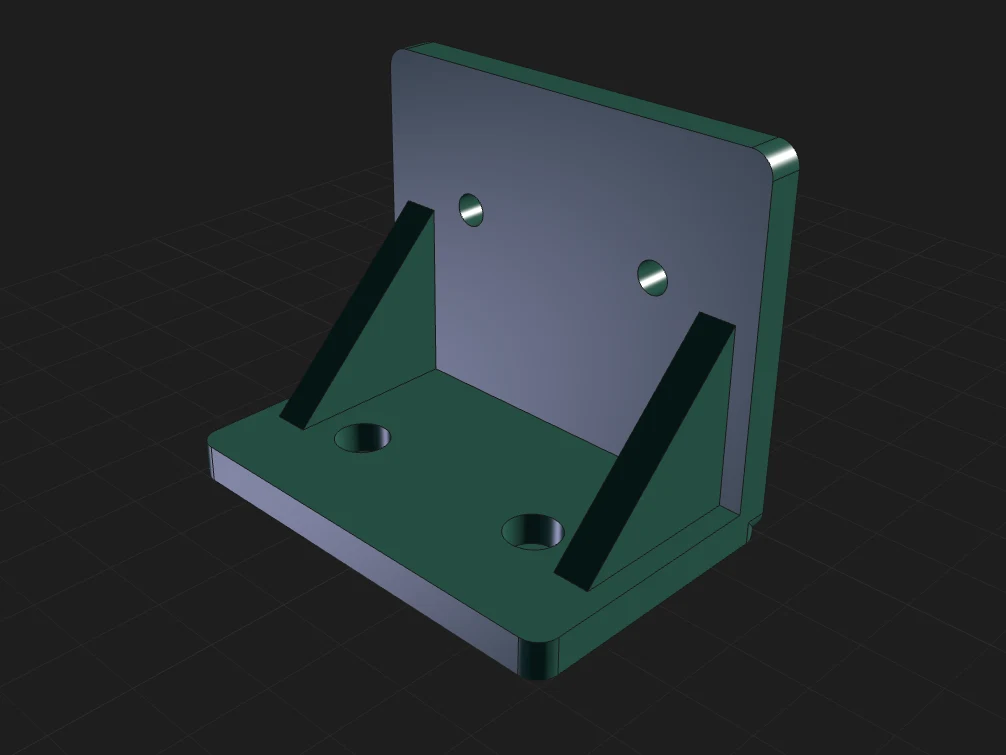
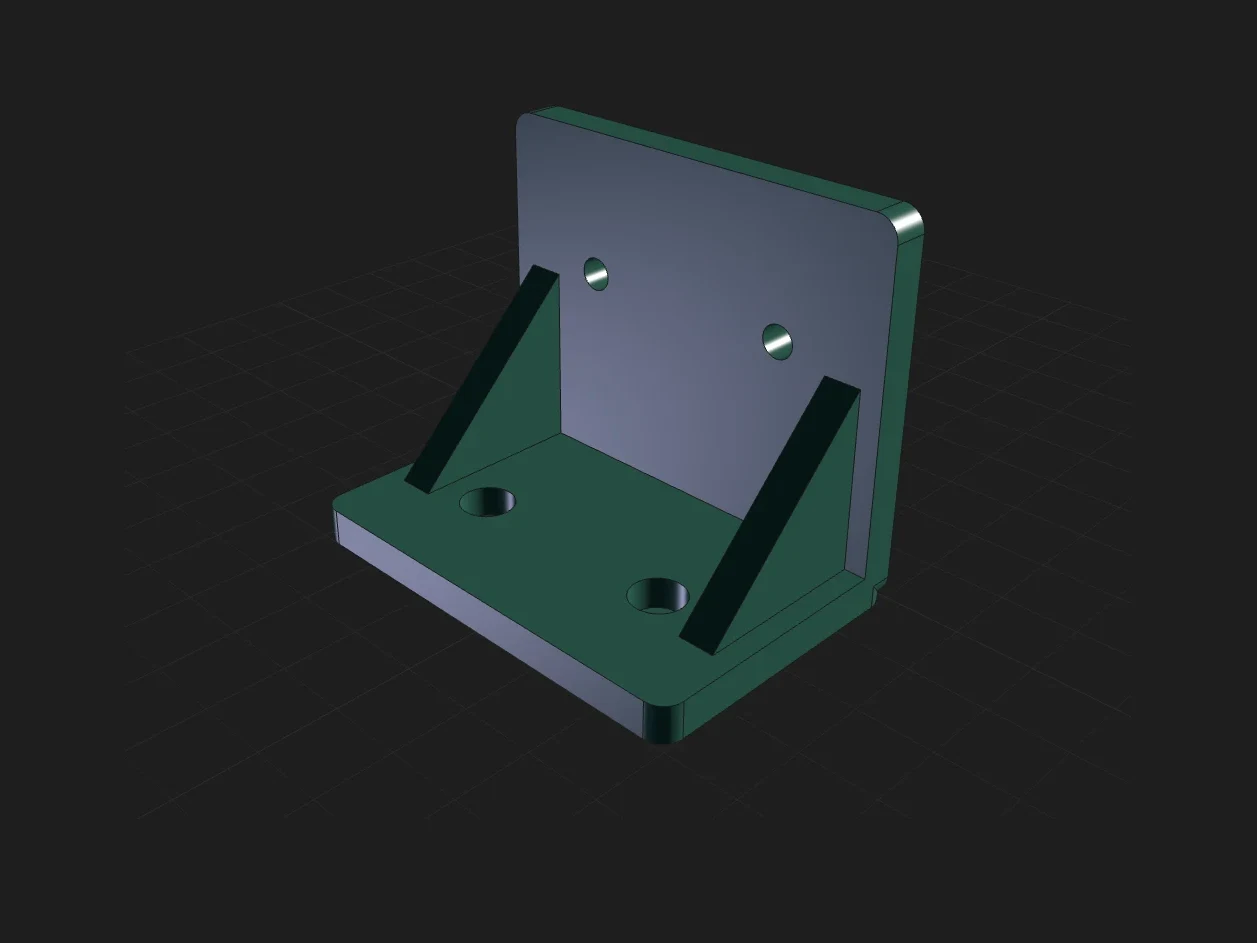
Pick a face and pull it. Round an edge. Shell a box, mirror a bracket, pattern a hole. The viewport previews the change through the real kernel. When you press Apply, it writes one readable line into your file. Where it can, that line refers to your parameter names, so the edit still works after you move a slider.

viewer
Edge54.0 mm Fillet2mmApply max 4.9 mm
bracket.shape.ts+3 −2
- import { holes, patterns, placeOn, shape3d } from "shapeitup";+ import { holes, patterns, placeOn, shape3d, filletEdge } from "shapeitup";  …-   return bracket;+   return filletEdge(bracket,+     (e) => e.containsPoint([0, -thickness, height]), 2);  }

This is the exact code the playground wrote. It used thickness and height rather than 5 and 50, so the rounded edge moves with the part when you drag those sliders. The import was added for you, and the 4.9 mm limit comes from the kernel.

  • ⤒ExtrudeextrudeFace
  • ◜FilletfilletFace
  • ◿ChamferchamferFace
  • ▢ShellshellFace
  • ∪JoinjoinBodies
  • ∖CutcutBodies
  • ∩IntersectintersectBodies
  • ✥Move · Copy.translate()
  • ↻Rotate.rotate()
  • ⧎Mirror.mirror("YZ")
  • ⋮⋮Patternpatterns.repeat
  • ⊟Sectionclip plane
  • ↔MeasureΔX ΔY ΔZ
  • ⊶Parametersparams.width = 72
  • ⬡ViewCube26 directions

Fusion 360 is a trademark of Autodesk, Inc. ShapeItUp is not affiliated with or endorsed by Autodesk. We mention it only to describe the kind of editing the viewport supports.

04 Components & assemblies

One file, one part.
Import it anywhere.

standoff.shape.ts export function makeStandoff()
plate.shape.ts export function makePlate()
assembly.shape.ts import { makePlate } from "./plate.shape"
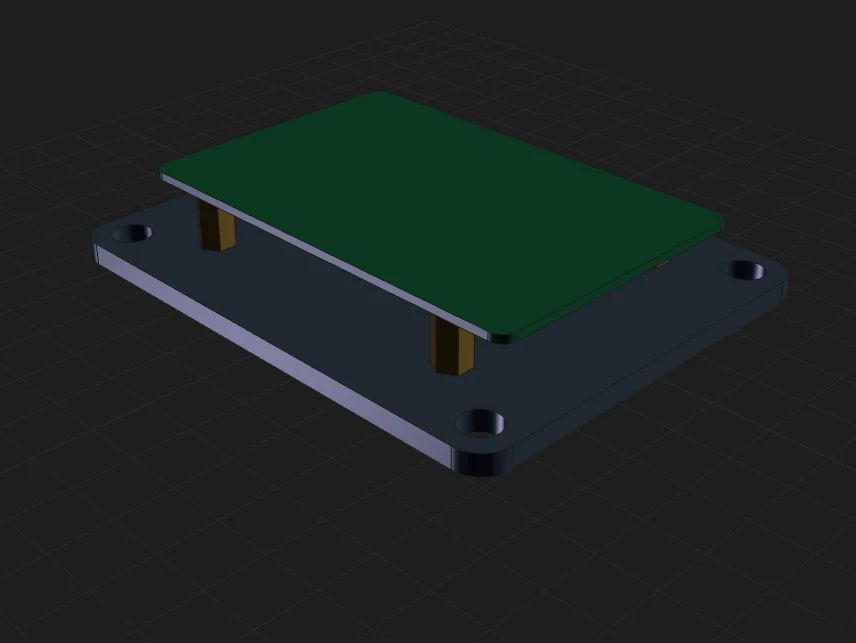
A Raspberry Pi mount: a base plate, four brass standoffs and a board
6 parts · 3 files

Every .shape.ts renders on its own. Import it into another file and it becomes part of an assembly. Change the component, and every assembly that uses it updates on the next render.

import { makePlate } from "./plate.shape";
import { makeStandoff } from "./standoff.shape";
import { patterns } from "shapeitup";

export default function main() {
  return [
    { shape: makePlate(100, 80, 4), name: "plate" },
    ...patterns.grid(2, 2, 58, 49).map(/* standoffs */),
  ];
}
  • Joints and mates: assemble(), mate(), symmetricPair()
  • Declare a material and get mass and a bill of materials
  • Collision checks with an allow-list for parts that are meant to touch
  • Tested on a 98-part knitting-machine build
Standard libraryimport { … } from "shapeitup"
holesscrewsboltswashersinsertsbearings threadsgearsextrusionsmotorscouplerspins patternsmountsjointsassembleprintHintslayoutOnBed

Counterbores, countersinks, heat-set pockets, teardrop holes, printable metric threads and involute spur gears, sized to real standards so the agent doesn't have to look up an M3 clearance hole.

05 Playground

This isn't a video.

Below is the real viewer running the real OpenCascade kernel, compiled to WebAssembly and running in this tab. There's no server and no sign-up. Edit the code, drag a slider, or fillet a face and watch the code change.

About 6 MB, loaded once and then cached
Four example projects, including a 3-file assembly. Try: select a face → Extrude → Apply. Open full screen ↗
06 Also in the box
Simulation

Watch it move before you print it.

Declare bodies, joints and motors in the file. Kinematic sweeps catch collisions, and Rapier or MuJoCo physics give you gravity, settling and pin forces.

Export

STEP, STL and 3MF.

One file, or one file per part. Send it straight to PrusaSlicer, Bambu Studio, OrcaSlicer, Cura or FreeCAD.

Printability

Checked for printing, not just for looks.

Overhang and thin-feature warnings for each part, print-orientation hints, and layoutOnBed to lay out a whole assembly on the print bed.

Headless

Runs in CI.

No GPU, no Chromium, no native graphics. The first render takes about 3 s while the kernel compiles, and later renders take under 200 ms. Works in Docker and GitHub Actions.

Parameters

Sliders come from the code.

export const params gives you a slider for each value. The agent can try different values with tune_params without editing the file.

Git

Your CAD is a diff.

Parts are plain text, so they work with branches, code review, blame and revert. A viewport edit shows up as one line in a commit.

07 Licence

Free.
Open.
Yours.

ShapeItUp is 100% free and open source under the MIT licence. There's no account, no seat licence and no cloud. Your parts are text files on your own disk.

ShapeItUpTypical subscription CAD
Price$0, foreverPer seat, per year
SourceOpen (MIT)Closed
Your filesText in your repoProprietary format
AI agentsBuilt in: 29 MCP toolsVaries, often an add-on
Runs onYour machine or browserVendor app or cloud
Star it on GitHub ↗
→ Start

Set it up with one line.

Claude Code
$claude mcp add shapeitup -- npx -y @shapeitup/mcp-server

Then ask: "Make me a wall hook for a 20 mm rail and open the viewer."

Codex
$codex mcp add shapeitup -- npx -y @shapeitup/mcp-server

Then set startup_timeout_sec = 60 and tool_timeout_sec = 180 under [mcp_servers.shapeitup] in ~/.codex/config.toml. Codex's defaults are shorter than a first npx download.

VS Code
⌘Pext install shapeitup.shapeitup-vscode

Create part.shape.ts, save it, and the 3D view opens.

Requires Node 20+. Everything ships as WebAssembly, so there's no native build step.